2-Wire, 3-Wire and 4-Wire Cooling Fans: FG, RD and PWM Signals Explained
Two, three or four wires? What FG, RD and PWM actually do, when monitoring or speed control matters, and how to match the signal when you replace a fan.
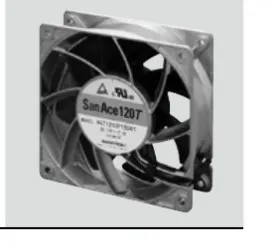
Count the wires before you order a replacement fan. Two fans can share the same size, voltage and speed, yet behave very differently — one simply runs, another reports its speed, and a third lets the system slow it down. The difference is the number of wires, and what each extra wire does.
This guide explains the 2-wire, 3-wire and 4-wire types, what the FG, RD and PWM signals mean, and how to match the signal when you replace a fan.
What does a 2-wire fan do?
A 2-wire fan has two leads: positive and negative power. It runs at full speed whenever power is applied at its rated voltage, and it sends nothing back to the equipment. The system cannot tell whether the fan is running, slowing down or stopped — it can only notice the temperature rising.
That simplicity is also its strength. A 2-wire fan is the easiest type to wire and to replace, and it suits equipment that does not monitor its fans: a simple enclosure, a basic power supply, or a machine where a stopped fan is noticed by other means. If the original fan is 2-wire, a 2-wire replacement with the same size, voltage, airflow and pressure will normally work — but check the other points on our replacement checklist as well, because size and voltage alone are never the whole order.
The limitation is control and warning. A 2-wire fan cannot be slowed down by the system, so it runs at full speed — and full noise — all the time, even when the equipment is cool and idle. And if its bearing wears or its rotor locks, nothing tells the system until the equipment overheats. That is why monitored equipment rarely uses 2-wire fans.
What does a 3-wire fan add?
A 3-wire fan adds one signal wire to the two power leads. That third wire carries the FG signal — short for frequency generator, also called a tachometer or speed signal. As the fan rotates, the FG output sends a series of pulses, and the system counts those pulses to work out the fan speed. If the pulses stop, the fan has stopped; if they slow, the fan is slowing down.
FG is a monitoring signal, not a control signal. It lets the equipment watch the fan, raise an alarm when the fan fails, and in some designs adjust other fans to compensate — but it cannot change the speed of the fan that produces it. A 3-wire fan still runs at full speed at its rated voltage, just like a 2-wire fan. The difference is that the system knows about it.
That distinction matters when ordering. If the equipment expects an FG signal and the replacement fan has only two wires, the equipment may report a fan failure even though the new fan is spinning perfectly — the monitoring circuit is listening for pulses that never arrive. Conversely, a 3-wire fan can usually replace a 2-wire fan if the extra wire is simply left unconnected: the fan still runs on its two power leads, and the unused signal wire does no harm. But check the datasheet first, because the exact behaviour of an unconnected signal wire can differ between series.
What does a 4-wire fan add?
A 4-wire fan adds a fourth wire: a PWM control input, alongside the power leads and the FG speed signal. PWM stands for pulse width modulation. The system sends the fan a rapid series of on-off pulses, and the width of those pulses — the duty cycle — sets the speed. A high duty cycle means a fast fan; a low duty cycle means a slow one. The FG wire still reports the actual speed back, so the system can check that the fan is doing what it was asked to do.
This is the type to choose when the equipment needs to manage noise, power or temperature. At low load the system can slow the fan down, which cuts noise sharply — our noise guide explains how much quieter a slower fan is — and when the load rises it can speed the fan up again. A 4-wire fan is therefore common in servers, storage equipment, telecom cabinets and other systems where the load varies and silence matters at idle.
A 4-wire fan can usually run on a 2-wire or 3-wire connection as well: with no PWM signal applied, many 4-wire fans run at full speed, behaving like a 3-wire or 2-wire fan. That makes a 4-wire fan a flexible spare in some cases — but "usually" is not "always", so confirm it on the datasheet for the exact model before relying on it. And a 2-wire or 3-wire fan can never be speed-controlled by a system that expects PWM: there is simply no wire for the control signal to travel on.
What is RD, and how is it different from FG?
Some fans carry an RD signal instead of, or as well as, an FG signal. RD stands for rotation detector, and it is also sold as a lock alarm or locked-rotor alarm. Where FG reports speed continuously, RD reports a fault: its output changes state when the rotor locks or stops turning, so the system gets a clear alarm instead of having to work out from the pulse rate that something is wrong.
FG and RD answer different questions. FG says "here is how fast I am turning"; RD says "I have stopped". An equipment design that monitors speed needs FG; one that only needs a failure alarm may be satisfied with RD. The two are not interchangeable, and a fan that offers one does not automatically offer the other.
Naming varies, and this is where ordering goes wrong. Different brands use different letters for the same function, and the same letters can mean slightly different things in different series — a third wire labelled as a speed signal on one brand's fan may be a lock alarm on another's. Our label guide explains why the model number, not the wire count alone, is the key to the datasheet — and the datasheet is the only place that states, for that exact model, which signal each wire carries.
How do the wire types compare?
Type | Wires | What the extra wires do | Typical use |
|---|---|---|---|
2-wire | Power + and − | Nothing extra — no signal in or out | Simple equipment with no fan monitoring |
3-wire | Power + FG signal | Reports speed to the system; cannot be speed-controlled | Equipment that must detect a failed or slowing fan |
4-wire | Power + FG signal + PWM control | Reports speed and accepts speed control from the system | Servers, storage and telecom equipment where load and noise vary |
With RD | Power + RD alarm (instead of or as well as FG) | Signals a locked or stopped rotor | Equipment that needs a clear fan-failure alarm |
Lead-wire colours are not a reliable guide either. The power leads are usually red and black, and the signal wires are often yellow, white or blue — but the exact colours differ by brand and by series, and some manufacturers use their own scheme. Never connect a fan by colour alone. Match the wires by function, as stated on the datasheet or the fan's own wiring diagram, and check the connector as well: a replacement with the right wires but the wrong plug still needs rewiring.
What mistakes cause the most wrong orders?
The most common mistake is assuming a 3-wire fan can be speed-controlled. It cannot — FG only reports speed. If the equipment slows its fans down through a PWM signal, the replacement must be a 4-wire fan with a PWM input, or the speed control simply will not work and the fan will run at full speed.
The second mistake is the reverse: fitting a 2-wire fan where the equipment expects a signal. The fan may cool perfectly, but the system, hearing no FG pulses, may report a fan fault, sound an alarm, or even shut the equipment down. The fan is not at fault — the signal the equipment was listening for is missing.
The third mistake is assuming all 4-wire fans behave the same. The PWM input's voltage level, the speed at a given duty cycle, and what happens with no PWM signal connected can all differ between series. A 4-wire fan from one brand is not automatically a drop-in replacement for a 4-wire fan from another, even at the same size and voltage. Compare the signal specifications on both datasheets, not just the airflow and pressure — our airflow vs static pressure guide explains why those two numbers alone are not enough either.
The fourth mistake is connecting a signal wire to power. The FG and PWM wires carry low-voltage logic signals, not fan power. Connecting one of them to the supply voltage can damage the fan's internal circuit. If the connector does not match, do not force the wires into the wrong positions — rewire by function, following the datasheet, or ask the supplier for the matching connector.
Finally, remember that the wire count does not decide the fan's life or its temperature tolerance. A 4-wire fan is not automatically longer-lived than a 2-wire fan of the same series; life depends on the bearing type and the operating temperature, as our bearing guide explains. Choose the wire type for the signal the equipment needs, and choose the bearing and the size for the life and the cooling the equipment needs.
How do I choose the right wire type?
Work backwards from the equipment, not from the fan in your hand. First, does the equipment monitor its fans? If it only supplies power, a 2-wire fan is enough. If it watches for failure, you need at least an FG or RD signal. If it also controls speed, you need a 4-wire fan with PWM.
Second, count the wires on the original fan and note what each one does — from the datasheet, not from the colour. Third, check the connector: the number of pins, the plug type and the pin order must match, or the replacement will need rewiring. And fourth, check the rest of the specification as usual: size, thickness, voltage, airflow, static pressure, noise and bearing type, against the original fan's datasheet.
A replacement that matches on the signal as well as on the cooling numbers is the right fan. One that matches only on cooling will fit, spin, and still be the wrong fan — because the equipment was listening for a signal it never receives.
How do I order the right fan?
Start from the original fan: count its wires, find out from its datasheet what each wire does — FG, RD, PWM or power only — and note the connector. Then check the replacement against the original on the datasheet, signal by signal, not just on size and voltage.
That is how we match replacement fans at Xuanrui. Send us the original model number — or a photo of the fan label and its connector — and we will check the candidate against the original fan's datasheet across our NMB, AVC and SANYO fan ranges, including the signal functions the wire count points to. Or contact us with the original model number and a photo of the label, and we will check the replacement for you.
Common questions
Can a 3-wire fan replace a 2-wire fan?
Usually yes — if the extra wire is simply left unconnected, the fan still runs on its two power leads and the unused signal wire does no harm. But check the datasheet first, because the exact behaviour of an unconnected signal wire can differ between series.
Can a 2-wire fan replace a 3-wire fan?
No, not if the equipment expects a signal. The fan may cool perfectly, but the system, hearing no FG pulses, may report a fan fault, sound an alarm, or even shut the equipment down. The fan is not at fault — the signal the equipment was listening for is missing.
Can a 3-wire fan be speed-controlled?
No. FG only reports speed — it cannot change it. If the equipment slows its fans down through a PWM signal, the replacement must be a 4-wire fan with a PWM input, or the speed control simply will not work and the fan will run at full speed.
What happens if I leave the PWM wire unconnected on a 4-wire fan?
Many 4-wire fans run at full speed with no PWM signal applied, behaving like a 3-wire or 2-wire fan — but "many" is not "always". Confirm it on the datasheet for the exact model before relying on it.
Do the wire colours tell me which wire is which?
No. The power leads are usually red and black and the signal wires often yellow, white or blue, but the exact colours differ by brand and by series. Never connect a fan by colour alone — match the wires by function, as stated on the datasheet or the fan's own wiring diagram.