Cooling Fan Noise Explained: What dB(A) Means and How to Choose a Quieter Fan
What a cooling fan's dB(A) rating really means, why the same fan sounds louder in your cabinet, and how to pick a quieter replacement without losing airflow.
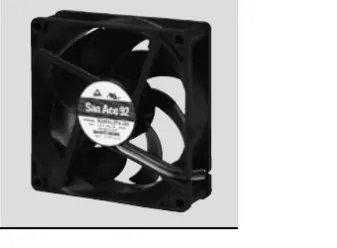
Noise is often the reason a replacement fan gets rejected — even when it cools perfectly. A fan that is a few decibels louder than the original can turn a quiet office device into an annoyance, or push medical or laboratory equipment over its noise limit. Yet the dB(A) number on a datasheet is widely misunderstood, and comparing two numbers without knowing how they were measured can mislead more than it helps.
This guide explains what dB(A) means, why the same fan sounds louder once it is inside your equipment, and how to choose a quieter replacement without losing airflow.
What dB(A) means
Sound pressure level is measured in decibels, written dB. The "(A)" means the measurement is A-weighted: it adjusts the reading to match how the human ear hears different frequencies, giving less weight to very low and very high tones that we hear less well. Almost every cooling-fan datasheet quotes dB(A), so two fans can be compared on the same basis — as long as the test conditions match.
Decibels are logarithmic, not linear. That matters more than the number itself. An increase of about 3 dB is a doubling of sound energy, and an increase of about 10 dB is generally perceived as roughly twice as loud. So the gap between 30 dB(A) and 40 dB(A) is not a small step — it is a clearly noticeable difference, and a fan rated 10 dB higher than the original will sound roughly twice as loud at the same distance.
Approx. level | What it sounds like | Where a fan at this level fits |
|---|---|---|
20–30 dB(A) | A quiet room, a whisper | Quiet offices, bedrooms, medical rooms |
30–40 dB(A) | A library, soft conversation | Office equipment, home appliances |
40–50 dB(A) | Normal conversation, a running refrigerator | General industrial equipment, workshops |
50–60 dB(A) | A busy office, a washing machine | Factory floors, server rooms, outdoor cabinets |
Above 60 dB(A) | Loud conversation, a vacuum cleaner | Only where noise is not a constraint |
These are everyday comparisons to help you judge a number, not a promise that any particular fan will sound like the example. The room, the distance and the enclosure all change what you actually hear.
Why the datasheet number is not what you hear
A datasheet dB(A) value is measured under controlled conditions — typically in free air, at a stated distance (often 1 metre), with the fan running at its rated speed and voltage. Your equipment is not that test room. Four things change the result.
First, distance. Sound level falls as you move away from the fan — roughly 6 dB each time the distance doubles in open air. A fan that measures 45 dB(A) at 1 metre will read noticeably lower from across a room, and noticeably higher if your ear is a few centimetres from a vent.
Second, the enclosure. A cabinet can muffle a fan, or it can make it louder. Hard, flat panels reflect sound, a resonant panel can hum, and a vent or grille close to the blades can add a whistling tone that the free-air test never shows.
Third, mounting and vibration. A fan bolted rigidly to a thin metal panel can transmit vibration into the whole enclosure, so the cabinet itself becomes the noise source. Soft mounting, rubber grommets or a stiffer panel often quieten a system more than changing the fan.
Fourth, the operating point. The datasheet value is usually the free-air maximum. In real use, a fan working against filters, heatsinks, dense cabling or a restrictive grille runs at a different point on its curve — and its noise changes with it. That is why airflow and static pressure must be compared together; see the airflow vs static pressure article at https://www.xrcoolingfan.com/posts/cooling-fan-airflow-vs-static-pressure for how the two relate.
What makes a fan loud
Speed is the biggest factor. Fan noise rises steeply with rotational speed — a small speed increase can add several decibels, while a small speed decrease can take several away. That is why, for the same airflow, a larger fan running slowly is almost always quieter than a small fan running fast. If the enclosure allows it, choosing the largest fan that fits is the simplest noise reduction there is; our size guide at https://www.xrcoolingfan.com/posts/cooling-fan-sizes-explained explains the size bands and the thickness trade-off.
Blade design and bearing type also matter. More blades, a different blade angle or a smoother airflow path can reduce the tonal whine that many people find most annoying, even at the same dB(A) reading. Bearing type affects the character of the sound as well as its level, and a worn bearing gets louder over time — a fan that has grown noisy in service is often a fan whose bearing is near the end of its life.
Finally, the air path itself can be the culprit. A fan guard (https://www.xrcoolingfan.com/products?category=feng-shan-wang-zhao), filter or grille placed too close to the blades, a blocked inlet, or a cable crossing the airflow all create turbulence — and turbulence is noise. A fan guard is sometimes necessary for safety, but it should be sized and spaced so it does not choke the fan. Keeping the inlet and outlet clear is free noise reduction.
How to choose a quieter fan
Start from the noise limit, not from the catalogue's quietest model. If the equipment has a stated limit — for medical, office or home use it usually does — treat it as a hard requirement, and compare candidates at the same test distance and the same operating point. A number measured at 1 metre cannot be compared with one measured at 30 cm.
Then work through the quiet options in order. Pick the largest frame size the enclosure allows, so the fan can run slower for the same airflow. Choose a lower-speed variant if it still meets the airflow and static pressure the equipment needs — never trade away cooling for quiet, or the equipment will overheat. Use speed control where the equipment supports it: a PWM-controlled fan that slows down when the load is light is quiet most of the time and only runs fast when cooling is actually needed. And check the bearing and mounting: a fan with a long-life bearing, mounted without transmitting vibration into a thin panel, stays quiet for longer.
When you compare two fans, compare the full specification, not the noise number alone. Our replacement checklist at https://www.xrcoolingfan.com/posts/cooling-fan-replacement-why-size-is-not-enough lists all ten points — voltage, current, airflow, static pressure, noise, life and signal functions — and a fan that is quieter but moves too little air against the system's resistance is still the wrong fan.
How to order the right fan
Start from the original fan: note its size and thickness, read the label for voltage and model number, and find its datasheet noise value and test distance. Then check the replacement against the original on airflow, static pressure and noise at the same conditions — not just the headline dB(A) number.
That is how we match replacement fans at Xuanrui. Send us the original model number — or a photo of the fan label — and we will check the candidate against the original fan's datasheet across our NMB, AVC and SANYO fan ranges at https://www.xrcoolingfan.com/brand-zone, including lower-speed and PWM-controlled options where a quieter replacement is needed. Or contact us at https://www.xrcoolingfan.com/contact-us with the original model number and the noise limit the equipment has to meet, and we will check the replacement for you.